Order Types
Choose between immediate execution and price control
Every order specifies an outcome, side, quantity, and price. The order type controls whether you prioritize execution now or wait for a specific price.
Compare order types
| Market | Limit | |
|---|---|---|
| Execution | Immediately against available orders | Only at your price or better |
| Price control | Final average depends on book depth | You set the maximum buy or minimum sell price |
| Unfilled amount | Canceled according to FAK/FOK preference | Remains open until filled or canceled |
| Best for | Speed | Price control |
Market orders
A Market order trades against the best available prices. Large orders may fill across multiple price levels, so always review the estimate before signing.
In Settings → Trading, Kuest supports two execution preferences:
- FAK (Fill and Kill): fill the amount available now and cancel the remainder.
- FOK (Fill or Kill): fill the entire order immediately or cancel it entirely.
Limit orders
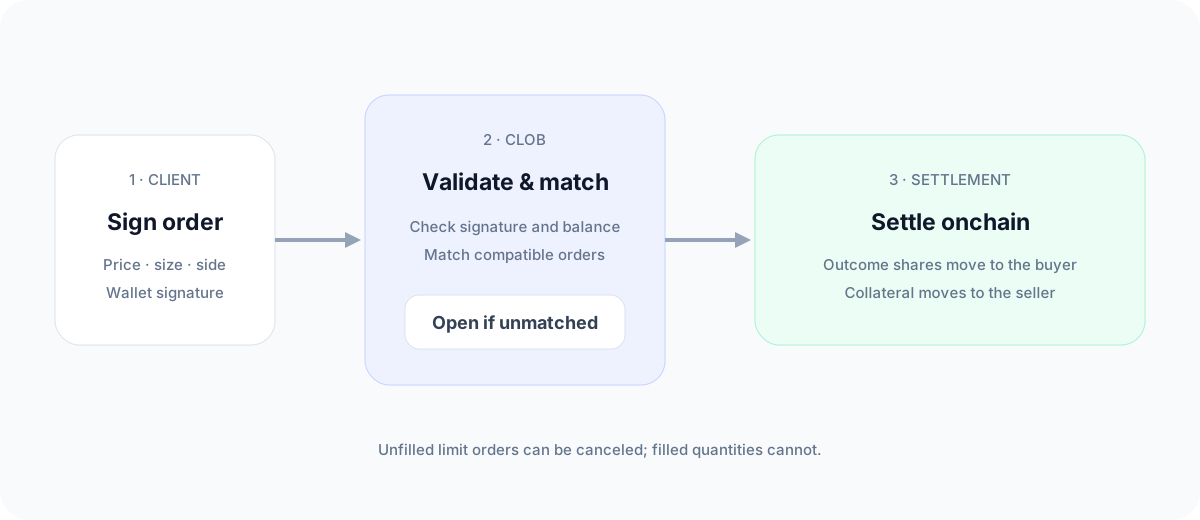
A Limit order fills only at your chosen price or better. It can fill partially as matching orders arrive. The remaining quantity stays in Portfolio → Open Orders until it fills or you cancel it.
A market-style order is submitted with execution constraints designed to trade immediately. It still depends on available order-book liquidity.